


How to Get Featured Snippets and Win Position Zero
Sections
- What Is a Featured Snippet?
- The Main Types of Featured Snippets
- The Simple 2026 Featured Snippet Formula
- Can You Mark a Page as a Featured Snippet?
- Build the SEO Foundation First
- Find Featured Snippet Opportunities
- Study the Current Featured Snippet
- Use the Inverted Pyramid Method
- How Long Should a Featured Snippet Answer Be?
- Format Your Content for the Right Snippet Type
- Optimize for AI Overviews Too
- Use Structured Data Carefully
- Optimize Images for Featured Snippets
- Make Your Page Better Than the Snippet
- Track Featured Snippet Performance
- What to Do If You Lose a Featured Snippet
- Common Featured Snippet Mistakes
- Featured Snippet Checklist for 2026
- Featured Snippet FAQ
- Final Advice: Write the Best Short Answer, Then the Best Full Page
To win a featured snippet in 2026, focus on three things first: rank on page one, answer the question directly, and structure your content so Google can easily understand it.
A featured snippet is not something you can force with a special tag. Google chooses it automatically when it believes a page gives a clear, useful answer. Your job is to make that choice easy.
The best beginner-friendly formula is this:
- Pick a search query that already shows a featured snippet.
- Add a clear question-based heading.
- Answer the question immediately in simple words.
- Use the right format: paragraph, list, table, image, or video.
- Improve the full page so it is more helpful than the current result.
In 2026, featured snippets still matter, but they now sit inside a bigger search landscape that includes AI Overviews, People Also Ask, rich results, video results, and zero-click searches. That means your content should not only be optimized for one blue link. It should be written so search engines and AI systems can quickly understand, quote, summarize, and trust it.
#What Is a Featured Snippet?
A featured snippet is a highlighted answer box in Google Search. It usually appears near the top of the search results and gives users a quick answer to their question.
People often call it Position Zero because it can appear above the normal organic results. It may show a paragraph, list, table, video, or image, depending on what Google thinks best answers the search query.
For example, if someone searches:
- “what is topical authority”
- “how to get featured snippets”
- “best SEO tools for beginners”
- “featured snippet length”
Google may show a short answer directly in the search results.
#Why Featured Snippets Still Matter in 2026
Featured snippets are important because they give your content more visibility. Even if a user does not click, your brand can appear as the source of the answer.
That matters even more now because Google Search is becoming more answer-focused. AI Overviews and other AI search features often summarize information before users reach the normal organic results. If your content is clear, trustworthy, and well-structured, it has a better chance of being used across these answer-style search experiences.
Featured snippets can help you:
- appear above normal organic results
- build trust with searchers
- increase brand visibility
- win clicks from users who want more detail
- support voice search and assistant-style answers
- strengthen topical authority around your subject
But there is one important point beginners often miss: a featured snippet is not always a guaranteed traffic boost.
Sometimes the user gets the answer directly on Google and does not click. That is called a zero-click search. So your goal should not only be “win the snippet.” Your goal should be to win the snippet and give users a reason to click for more value.
#The Main Types of Featured Snippets
Google shows different snippet formats depending on the search intent.
| **Snippet Type** | **Best For** |
| Paragraph | Definitions, explanations, “what is” and “why” queries. |
| List | Steps, checklists, rankings, tools, tips, and how-to searches. |
| Table | Simple comparisons, prices, features, sizes, and data. |
| Video | Tutorials, demonstrations, walkthroughs, and visual processes. |
Do not choose the format you personally prefer. Choose the format that best matches the search query.
If the search starts with “how to,” a numbered list often works well. If it asks “what is,” a short paragraph is usually better. If it compares options, a small table may be useful.
#The Simple 2026 Featured Snippet Formula
The easiest way to optimize for featured snippets is to put the answer first.
Use this structure:
## What Is [Topic]?

[Direct answer in 40-60 words.]

[Then explain the topic in more detail.]
Here is an example:
## What Is a Featured Snippet?

A featured snippet is a highlighted search result that gives users a quick answer directly on Google. It is usually pulled from a page that already ranks well and has a clear, concise answer formatted as a paragraph, list, table, image, or video.
This works because Google does not have to search through a long introduction to understand your answer. The question is clear. The answer is clear. The structure is clear.
That is the whole idea.
#Can You Mark a Page as a Featured Snippet?
No. You cannot add a special tag that tells Google, “Use this as a featured snippet.”
Google chooses featured snippets automatically. However, you can control whether your content is allowed to appear in snippets.
For example:
nosnippetcan prevent snippets from being shown.max-snippetcan limit how much text Google may show.data-nosnippetcan block specific parts of a page from appearing in snippets.
For most SEO pages, you usually do not want to block your best answer. But these controls are useful if you have legal text, pricing details, private-style information, or content you do not want shown directly in search results.
#Build the SEO Foundation First
Before you chase featured snippets, your page needs a strong SEO foundation.
In most cases, Google pulls featured snippets from pages that already rank well. So if your page is buried on page five, rewriting one paragraph will probably not be enough.
Start with the basics:
- Make sure the page matches the search intent.
- Write a genuinely helpful answer.
- Use clear headings.
- Make the page easy to read on mobile.
- Improve page speed and Core Web Vitals.
- Use HTTPS.
- Add internal links from related pages.
- Keep the content updated.
- Show real experience, examples, and expertise.
If you are new to SEO, do not overcomplicate this. Google wants to show pages that help users. So the first question is not “How do I trick Google?” The first question is:
Is this page the clearest and most useful answer for the searcher?
If the answer is no, fix that first.
You can also build a stronger base with our beginner’s guide to search engine optimization.
#Find Featured Snippet Opportunities
Do not optimize random pages and hope for the best. Start with search queries where Google already shows a featured snippet.
That tells you something important: Google already wants a short, direct answer for that query.
#Start With Keywords You Already Rank For
The easiest opportunities are keywords where your page already ranks on the first page but does not own the snippet.
Use SEO tools like Ahrefs, Semrush, Sistrix, Moz, or similar platforms to find:
- keywords where your page ranks in positions 2-10
- keywords that already trigger a featured snippet
- keywords where a competitor owns the snippet
- question-based keywords with clear search intent
You can also use Google Search Console to find pages with high impressions and decent average positions. Search Console does not have a perfect “featured snippet” filter, but it can help you find queries worth checking manually.
Look for pages that already get impressions for question-style searches such as:
- how to…
- what is…
- why does…
- when should…
- best way to…
- difference between…
- steps to…
These are often good candidates for snippet optimization.
#Use People Also Ask
Google’s People Also Ask section is one of the easiest places to find beginner-friendly content ideas.
Each question is a real search intent. You can use those questions as H2 or H3 headings in your article, then answer each one clearly.
For example:
### How Do You Optimize for Featured Snippets?

To optimize for featured snippets, choose a question-based keyword, write a direct answer below the heading, and format the answer as a paragraph, list, table, or video. Then improve the full page so it gives users more detail than the search result alone.
This helps your page answer more related queries. It also makes the article easier to scan.
For more keyword ideas, read our guide on practical methods for long-tail keyword research.
#Study the Current Featured Snippet
Before you rewrite your page, search the keyword yourself and study the current snippet.
Ask these questions:
- Is it a paragraph, list, table, image, or video?
- How short is the answer?
- Does the answer fully solve the query?
- Is the content outdated?
- Is the wording too complicated?
- Is there a missing step, warning, example, or definition?
- Does the source look trustworthy?
- Does Google also show an AI Overview?
- Are the same sources appearing in both the snippet and the AI Overview?
You are not trying to copy the current winner. You are trying to understand why Google chose it.
Then make your answer better.
Better can mean:
- clearer
- shorter
- more complete
- more current
- more beginner-friendly
- better formatted
- supported by examples
- easier to understand on mobile
#Use the Inverted Pyramid Method
The inverted pyramid method means putting the most important information first.
This is perfect for featured snippets.
Instead of starting with a long introduction, answer the question immediately. Then add details, examples, context, screenshots, and related tips.
Bad structure:
## What Is Position Zero?

Search has changed a lot in recent years. Many website owners want to improve visibility. There are many strategies, and one of them is Position Zero...
Better structure:
## What Is Position Zero?

Position Zero is an informal SEO term for a featured snippet or answer-style result that appears above the standard organic listings in Google Search. It gives users a quick answer and can increase visibility for the page Google selects as the source.

After that, explain why it matters, how it works, and how to optimize for it.
The second version is easier for both users and search engines.
#How Long Should a Featured Snippet Answer Be?
For paragraph snippets, aim for about 40-60 words.
This is not a strict rule. Google can show shorter or longer snippets. But 40-60 words is a practical writing target because it forces you to answer clearly without adding fluff.
Use this structure:
- First sentence: direct answer.
- Second sentence: short explanation.
- Optional third sentence: important condition or benefit.
Example:
A featured snippet is a highlighted answer that appears near the top of Google Search. It is usually pulled from a page that already ranks well and gives a clear answer to the query. Common formats include paragraphs, lists, tables, images, and videos.
That is simple, complete, and easy to extract.
#Format Your Content for the Right Snippet Type
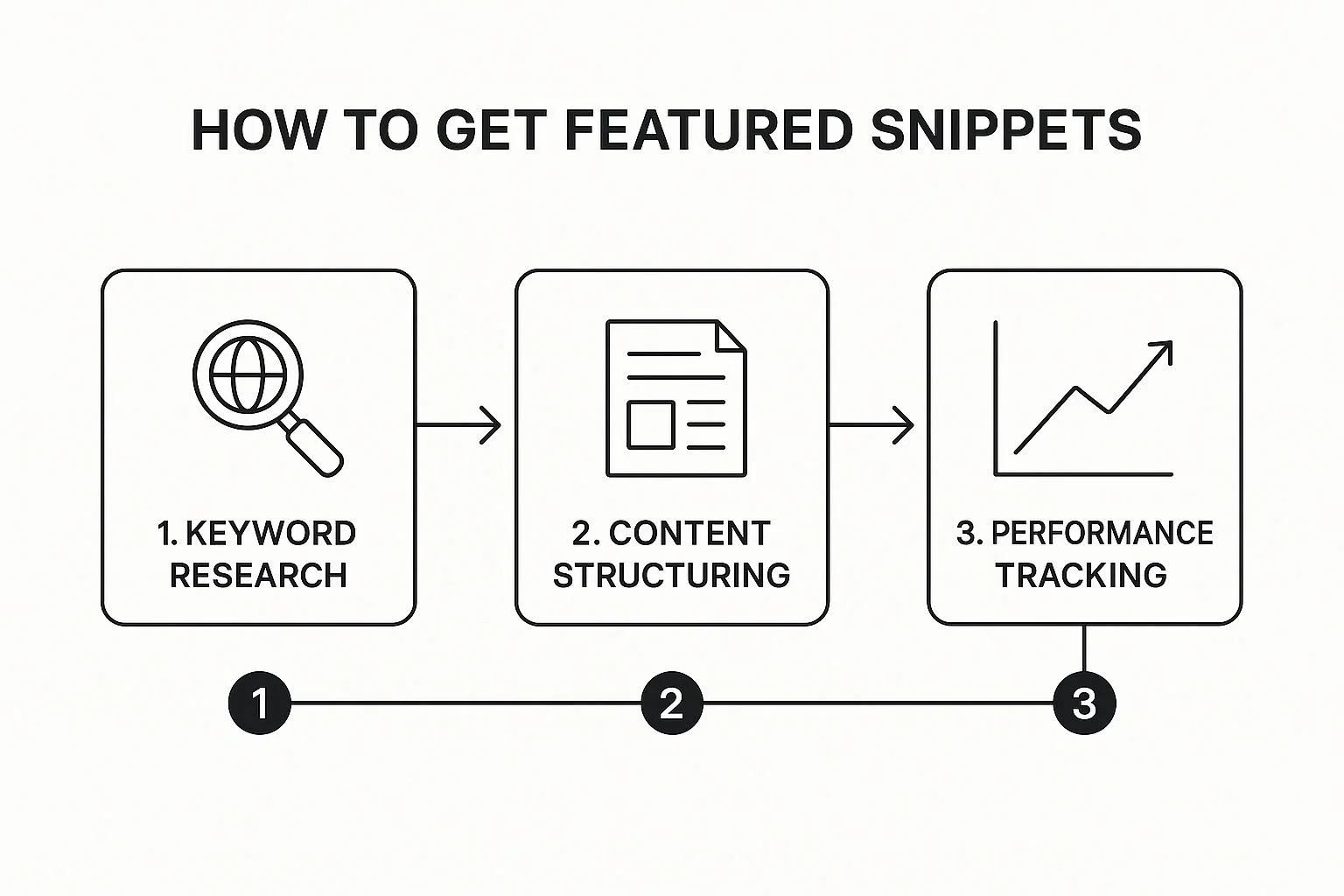
Formatting matters because Google needs to understand the structure of your answer.
#Paragraph Snippets
Use paragraph snippets for definitions and explanations.
Best for:
- what is…
- why is…
- what does… mean
- definition of…
- benefits of…
Format:
## What Is [Topic]?

[40-60 word direct answer.]
Keep the answer natural. Do not stuff keywords. Use the main search phrase once if it fits.
#Numbered List Snippets
Use numbered lists for steps.
Best for:
- how to…
- steps to…
- process for…
- checklist for…
Example:
## How to Get a Featured Snippet

1. Choose a keyword that already shows a featured snippet.
2. Study the current snippet format.
3. Add a question-based heading to your page.
4. Write a short, direct answer below the heading.
5. Use a paragraph, list, table, image, or video format.
6. Improve the full page so it is more helpful than the current result.
Use real list formatting. Do not write steps inside one long paragraph.
#Bulleted List Snippets
Use bullet lists when the order does not matter.
Best for:
- best tools
- common mistakes
- examples
- benefits
- features
- ideas
Example:
## Common Featured Snippet Formats

- Paragraph snippets for definitions and short explanations.
- List snippets for steps, tips, tools, and examples.
- Table snippets for simple comparisons and structured data.
- Video snippets for tutorials and demonstrations.
Keep every bullet consistent. If one starts with a noun, try to make the others follow the same pattern.
#Table Snippets
Use tables only when they genuinely help the user compare information.
Do not create huge tables just for SEO. Large tables are hard to read on mobile and often create a poor user experience.
Good table use cases:
- price comparison
- feature comparison
- size chart
- pros and cons
- tool comparison
Keep tables small and simple.
<table>
  <tbody>
    <tr>
      <td>**Format**</td>
      <td>**Use It For**</td>
    </tr>
    <tr>
      <td>Paragraph</td>
      <td>Definitions and short answers.</td>
    </tr>
    <tr>
      <td>List</td>
      <td>Steps, tips, tools, and examples.</td>
    </tr>
    <tr>
      <td>Table</td>
      <td>Simple comparisons.</td>
    </tr>
  </tbody>
</table>
#Optimize for AI Overviews Too
Featured snippets and AI Overviews are different, but the content habits that help one often help the other.
In 2026, you should write for both:
- classic Google rankings
- featured snippets
- People Also Ask
- AI Overviews
- voice-style answers
- users who want fast explanations
AI Overviews often summarize information from multiple sources. That means your content should be easy to understand, but also credible enough to cite.
To improve your chances of being useful in AI-style search results:
- answer the main question clearly
- cover related subquestions
- use plain language
- include current information
- add examples
- mention limitations or exceptions
- show first-hand experience where possible
- cite reliable sources when needed
- avoid vague claims
- keep your author, company, and contact information clear
- use structured headings that match real search questions
Do not write only for AI. Write for the human first, then structure the page so search systems can understand it.
#Use Structured Data Carefully
Structured data helps Google understand your page. It can support rich results, but it does not guarantee a featured snippet.
This is important.
Many beginners think adding schema markup automatically creates better Google results. It does not. Structured data is a helper, not a magic switch.
Useful schema types may include:
ArticleBlogPostingProductReviewHowToVideoObjectBreadcrumbListOrganizationPerson
Use schema only when it matches the visible content on the page. Do not add fake structured data. Do not mark up content that users cannot see.
#What About FAQ Schema in 2026?
FAQ content is still useful. FAQ schema is still valid structured data. But FAQ rich results are no longer a broad SEO opportunity in Google like they once were.
In simple terms: do not add FAQ sections just because you expect big FAQ dropdowns in Google. Add them because they help users and answer real search questions.
A good FAQ section can still help your page because it:
- answers long-tail questions
- improves topical coverage
- makes the article easier to scan
- supports People Also Ask optimization
- helps users find quick answers
But it should not be your whole SEO strategy.
#Optimize Images for Featured Snippets
Images can appear inside featured snippets and AI-style search results. Sometimes Google uses text from one page and an image from another.
To improve your chances, optimize your images properly.
Use:
- descriptive file names
- useful alt text
- relevant captions
- compressed image files
- clear graphics
- original screenshots where possible
- images placed near the related text
Bad image file name:
IMG_4829.jpg
Better image file name:
featured-snippet-example-google-search.jpg
Bad alt text:
SEO image
Better alt text:
Screenshot of a Google featured snippet showing a short paragraph answer above the organic search results.
Image SEO is not only about rankings. It helps Google understand the page better.
#Make Your Page Better Than the Snippet
Winning a snippet is not only about the short answer. The full page still matters.
A good snippet answer gets attention. A good page earns trust.
After your direct answer, add:
- a beginner-friendly explanation
- examples
- screenshots
- step-by-step instructions
- common mistakes
- updated statistics
- expert tips
- related questions
- internal links
- a clear next step
This is especially important in 2026 because many users get basic answers directly in search results. If you want the click, your page must promise something more valuable than the short answer.
For example, do not stop at:
A featured snippet is a short answer box in Google.
Continue with:
- how snippets work
- how to find snippet opportunities
- how to format answers
- what to avoid
- how to track results
- how AI Overviews change the strategy
That is how you turn a short answer into a genuinely useful article.
#Track Featured Snippet Performance
You cannot directly filter all featured snippets inside Google Search Console, but you can still use Search Console to find clues.
Look for:
- queries with high impressions
- pages with strong average positions
- sudden CTR changes
- sudden ranking changes
- pages ranking around positions 1-5
- question-based queries
- pages that gained or lost impressions after updates
Then manually check the live search results.
You can also use SEO tools to track SERP features. Many rank trackers show whether a keyword has a featured snippet and which domain owns it.
Track these things:
- target keyword
- current ranking
- current snippet owner
- snippet format
- your page URL
- date optimized
- result after re-crawl
- lost or gained snippet
Keep it simple. A small spreadsheet is enough when you are starting.
#What to Do If You Lose a Featured Snippet
Losing a featured snippet is normal. Google tests different answers all the time.
If you lose one, do this:
- Search the keyword manually.
- Study the new winner.
- Compare their answer with yours.
- Check whether their content is clearer, newer, or better formatted.
- Improve your answer.
- Update supporting sections of the page.
- Add missing examples or context.
- Request indexing in Google Search Console.
Do not just change one sentence and hope. Improve the page meaningfully.
Ask yourself:
- Is my answer still accurate?
- Is it too long?
- Is it too vague?
- Did search intent change?
- Did Google switch from paragraph to list?
- Does the competitor explain it better?
- Do they include fresher information?
- Is my page weaker overall?
A lost snippet is useful feedback. It shows exactly what Google currently prefers.
#Common Featured Snippet Mistakes
Here are the mistakes beginners should avoid.
#Mistake 1: Writing Long Introductions Before the Answer
Users came for an answer. Google came to find an answer. Put the answer first.
#Mistake 2: Optimizing Pages That Do Not Rank
If your page is nowhere near page one, snippet formatting alone probably will not work. Improve the whole page first.
#Mistake 3: Ignoring Search Intent
If the user wants steps, do not give only a definition. If the user wants a comparison, do not give a vague paragraph.
#Mistake 4: Keyword Stuffing
Repeating the keyword too often makes the content worse. Use natural language.
#Mistake 5: Using Huge Tables
Tables can work, but large tables are often bad on mobile. Use small tables only when comparison is the clearest format.
#Mistake 6: Relying Only on Schema
Schema can help Google understand your page, but it does not replace good content.
#Mistake 7: Forgetting AI Search
In 2026, your content should be clear enough for classic search and AI-style summaries. If your page is vague, outdated, or poorly structured, it is less likely to be used as a trusted source.
#Featured Snippet Checklist for 2026
Use this checklist before publishing or updating a page.
- The page targets a clear search query.
- The query already shows a featured snippet or answer-style result.
- The page matches the search intent.
- The answer appears directly below a relevant heading.
- The answer is written in simple language.
- Paragraph answers are roughly 40-60 words.
- How-to queries use numbered steps.
- List queries use clean bullet points.
- Comparison queries use a small, simple table.
- The page works well on mobile.
- The page loads quickly.
- Images have descriptive file names and alt text.
- The content is current.
- The page includes helpful examples.
- The article answers related People Also Ask questions.
- Internal links point to related resources.
- Structured data matches the visible content.
- Search Console is used to monitor performance.
#Featured Snippet FAQ
#Can I Get a Featured Snippet Without Ranking Number One?
Yes. You do not always need to rank number one to win a featured snippet. But you usually need to rank on the first page. Google normally chooses snippets from pages it already considers relevant and trustworthy for the query.
#How Long Does It Take to Win a Featured Snippet?
It depends. A strong page on an established website may win a snippet after Google re-crawls the updated content. A newer or weaker page may take weeks or months. Competitive keywords are harder because Google has more strong pages to choose from.
#Does Schema Markup Help With Featured Snippets?
Schema markup can help Google understand your content, but it does not guarantee a featured snippet. Use structured data when it accurately describes the visible page content. Do not rely on schema alone.
#Are FAQ Sections Still Useful in 2026?
Yes, FAQ sections are still useful when they answer real user questions. They help with long-tail keywords, People Also Ask optimization, and page clarity. But FAQ rich results are no longer a broad Google visibility tactic, so FAQs should be written for users first.
#Do AI Overviews Replace Featured Snippets?
No, not completely. AI Overviews and featured snippets can both appear in modern search results. But they change how users interact with Google. That is why your content should be direct, trustworthy, well-structured, and valuable beyond the short answer.
#What Is the Best Way to Optimize for Position Zero?
The best way to optimize for Position Zero is to find a query that already shows a featured snippet, study the current format, and create a clearer answer on a stronger page. Put the direct answer below a question-based heading and support it with helpful detail.
#Final Advice: Write the Best Short Answer, Then the Best Full Page
Getting a featured snippet is not about tricks. It is about clarity.
The short answer helps Google understand what to feature. The full page proves that your content deserves to be trusted.
So the best 2026 strategy is simple:
- answer the question immediately
- use the right format
- make the page genuinely helpful
- keep the content fresh
- optimize for both classic search and AI-style answers
- track results and improve over time
Ready to stop guessing and start winning? Rankdigger helps you uncover high-potential keywords, analyze search visibility, and track where your SEO work can have the biggest impact. Start making data-driven decisions and claim more visibility in the SERPs. Explore the platform at https://rankdigger.com/en.