


11 Best Monthly SEO Report Template Resources for 2026
Sections
- What Should a Monthly SEO Report Include in 2026?
- Best Monthly SEO Report Template Resources for 2026
- 1. Tools - Rankdigger
- 2. Backlinko
- 3. DashThis
- 4. Khaleelah Jones
- 5. Attrock
- 6. Venngage
- 7. Slidesgo
- 8. Template.net
- 9. Kahena
- 10. ClickMinded
- 11. Semrush
- Quick Comparison: Which Monthly SEO Report Template Should You Choose?
- How to Build a Better Monthly SEO Report in 2026
- Monthly SEO Report Template Example
- Common Monthly SEO Report Mistakes
- Final Recommendation
A good monthly SEO report template should answer one question first:
Did SEO help the business grow this month?
That means your report should not start with a long list of rankings, backlinks, crawl errors, and screenshots. Those details matter, but they come later. In 2026, the best SEO reports put the most important things first: traffic, leads, sales, key events, important ranking changes, technical issues, and the next actions.
Search has also changed. Google Search Console still shows how people find your website in Google Search. Google Analytics 4 shows what users do after they click. But modern SEO reporting also needs to consider AI Overviews, AI Mode, branded visibility, SERP features, and content that gets discovered without always producing a direct click.
That is why a strong monthly SEO report template is more than a document. It is a simple communication system. It helps you show what happened, why it happened, what it means, and what should happen next.
In this guide, you will find the best monthly SEO report template resources for 2026. Some are simple free templates. Some are visual presentation templates. Others are automated SEO reporting tools that connect directly to Google Analytics 4, Google Search Console, Semrush, Ahrefs, Moz, and other platforms.
#What Should a Monthly SEO Report Include in 2026?
Before choosing a template, it helps to know what a useful SEO report should contain.
A beginner-friendly monthly SEO report should include:
- Executive summary: the most important wins, problems, and next steps.
- Organic traffic: sessions, users, engaged sessions, and landing page performance.
- Search visibility: clicks, impressions, CTR, average position, and important keyword movements from Google Search Console.
- Conversions or key events: form submissions, purchases, signups, demo requests, calls, downloads, or other business actions.
- Top pages: pages that gained or lost traffic, rankings, leads, or revenue.
- Keyword performance: only the keywords that matter, not every tiny ranking change.
- Content updates: new pages, refreshed pages, content gaps, and pages that need improvement.
- Technical SEO: indexing issues, crawl problems, Core Web Vitals, redirects, broken links, and structured data.
- Backlinks and authority: new referring domains, lost links, link quality, and relevant mentions.
- AI and SERP visibility: featured snippets, People Also Ask, AI Overview visibility, brand mentions, and visibility in AI search tools where relevant.
- Next month’s plan: 3 to 5 clear actions based on the data.
The biggest mistake is reporting everything. The best reports explain what matters.
#Best Monthly SEO Report Template Resources for 2026
#1. Tools - Rankdigger
Rankdigger is a strong choice if you want your monthly SEO report template to be based on real Google Search Console data instead of guesswork. It helps turn raw search data into practical SEO opportunities.
Its most useful feature is the Opportunity Score. This helps you find keywords and pages that may be close to ranking higher. For example, a page ranking near the bottom of page one or on page two might only need a better title, stronger internal links, fresher content, or improved search intent matching.
This makes Rankdigger especially useful for beginners because it does not only show numbers. It helps you decide what to work on next.
#Best For
Rankdigger is best for website owners, bloggers, small businesses, SEO beginners, and marketers who want to understand their Google Search Console data more easily.
#Why It Stands Out
Most SEO reports show what already happened. Rankdigger helps you find what to do next.
That is useful because a monthly SEO report should not end with data. It should end with a plan.
#Key Features
- Direct Google Search Console data analysis.
- Opportunity Score for finding high-potential keywords and pages.
- Helpful SEO guides, glossary content, and practical learning resources.
- Good for finding “striking distance” keywords.
- Useful for content refresh planning.
#Pros
- Beginner-friendly way to understand GSC data.
- Helps prioritize SEO work.
- Useful for monthly reporting and ongoing optimization.
- Strong fit for content-led SEO.
#Cons
- Requires Google Search Console access.
- As with any SEO tool, you still need to interpret the data carefully.
- Best results come when you use the insights consistently.
Practical Tip:
Use Rankdigger to create the “Next Month’s SEO Opportunities” section of your report. Pick 3 to 5 pages with strong upside and explain what you will improve.
Website: https://rankdigger.com/en/tools/searchanalytics
#2. Backlinko
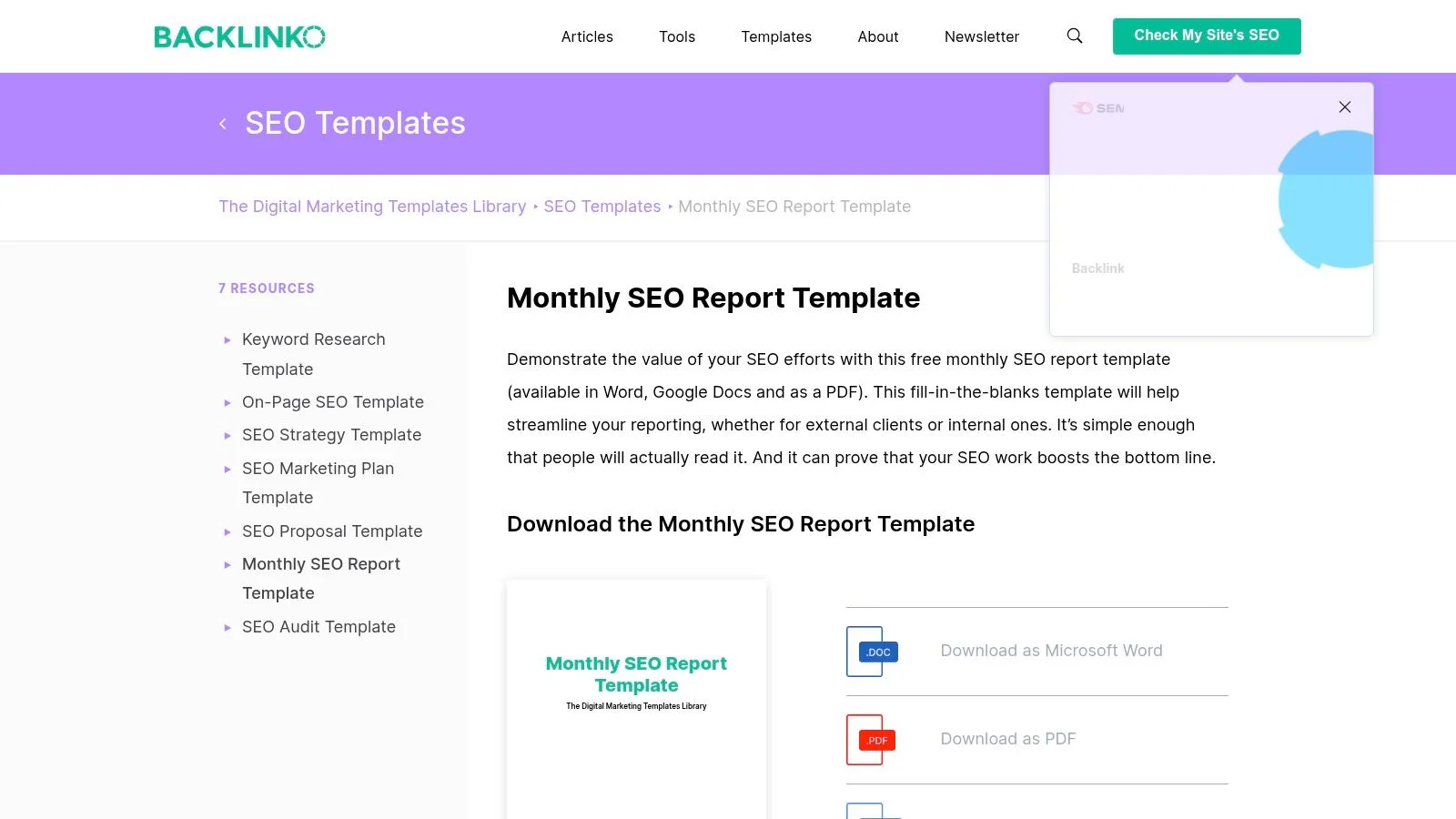
Backlinko offers one of the clearest free SEO report templates for beginners and client-facing SEO work. The current template is designed more like a strategic report than a data dump. It focuses on outcomes, key insights, next steps, and business value.
This is useful in 2026 because many clients and stakeholders do not care about every single ranking movement. They want to know whether SEO is helping the business.
Backlinko’s template includes sections for organic traffic, keyword rankings, conversions, SERP visibility, LLM visibility, content, backlinks, user engagement, technical SEO, and next steps.
#Best For
Backlinko is best for freelancers, agencies, consultants, and in-house marketers who need a simple SEO report that non-technical people can understand.
#Why It Stands Out
The biggest strength is clarity. Backlinko helps you explain SEO like a strategist, not just like a technician.
#Key Features
- Free SEO report template.
- Designed for client and stakeholder communication.
- Includes executive summary and next steps.
- Covers SEO, SERP visibility, and LLM visibility.
- Works well for monthly reporting and quarterly reviews.
#Pros
- Free.
- Beginner-friendly.
- Strong storytelling structure.
- Good for explaining business impact.
- Useful speaker-note style guidance.
#Cons
- Requires manual data input.
- Not ideal if you manage many clients and need full automation.
- You still need data from GA4, GSC, and SEO tools.
Practical Tip:
Start your report with the executive summary. Write it last, but place it first. Include the top win, the top issue, and the top recommendation.
Website: Backlinko Monthly SEO Report Template
#3. DashThis
DashThis is not just a static monthly SEO report template. It is an automated reporting dashboard. It connects to tools like Google Analytics 4, Google Search Console, Ahrefs, Semrush, Moz, and other marketing platforms.
This makes it a strong choice if you are tired of copying numbers into spreadsheets every month.
DashThis is especially useful for agencies because you can create repeatable, white-label dashboards for multiple clients. Instead of rebuilding a report each month, you set it up once and let the data refresh automatically.
#Best For
DashThis is best for agencies, consultants, and marketing teams that manage multiple websites or clients.
#Why It Stands Out
Automation is the main benefit. You can save hours each month by connecting your data sources once and reusing the same reporting structure.
#Key Features
- Automated SEO dashboards.
- Integrations with GA4, Google Search Console, Ahrefs, Semrush, Moz, and more.
- White-label reporting options.
- PDF export and live dashboard sharing.
- Prebuilt widgets and templates.
#Pros
- Saves time.
- Good for recurring client reports.
- Strong integration options.
- Professional-looking dashboards.
- Easier to scale than manual reports.
#Cons
- Paid after the free trial.
- Setup can feel difficult for complete beginners.
- Still needs human commentary to explain what the data means.
Practical Tip:
Use DashThis for the numbers, but add a short written summary at the top of every report. Automation gives you data. Your analysis gives it meaning.
Website: DashThis SEO Report Template
#4. Khaleelah Jones
Khaleelah Jones offers a paid monthly SEO report template for agencies and freelancers. It is a small reporting kit rather than only one file. It includes the template, an instructional manual, and a real anonymized report example.
That real example is valuable because beginners often struggle with one thing: they know which metrics to include, but they do not know how to explain them.
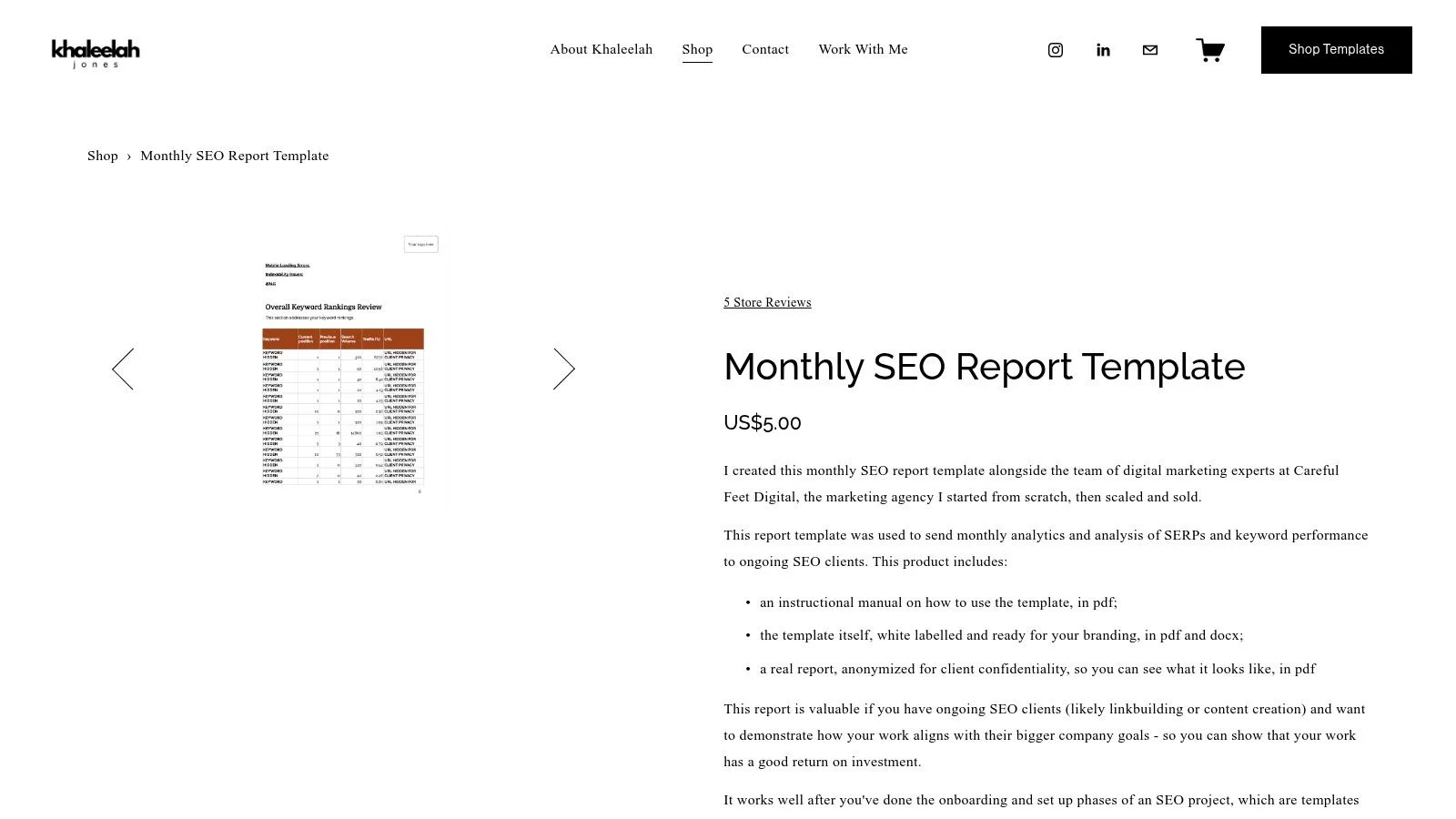
This template is especially useful when you want to show how SEO work connects to broader business goals.
#Best For
This is best for freelancers, small agencies, consultants, and people who manage ongoing SEO clients.
#Why It Stands Out
The included real report example helps you understand how a professional SEO report should feel, not just what sections it should contain.
#Key Features
- Paid template.
- White-label format.
- PDF and DOCX versions.
- Instructional manual.
- Real anonymized report example.
#Pros
- Affordable.
- Good for client reporting.
- Includes a practical example.
- Easy to brand.
- Helpful for freelancers learning client communication.
#Cons
- Manual data entry.
- Less automated than dashboard tools.
- Best suited for service-based SEO reporting.
Practical Tip:
Use the anonymized example to improve your own report language. Pay attention to how insights are explained, not only which metrics are shown.
Website: Khaleelah Jones Monthly SEO Report Template
#5. Attrock
Attrock provides a free SEO report template that is suitable for beginners and professionals. It focuses on the core areas most SEO reports need: highlights, KPIs, organic traffic, backlink growth, SEO health, and next month’s outlook.
This is a good option if you want a simple structure without getting overwhelmed by complex dashboards.
#Best For
Attrock is best for beginners, freelancers, small businesses, and marketers who want a free SEO report template with clear sections.
#Why It Stands Out
It keeps reporting simple. That makes it useful for people who are creating their first monthly SEO report.
#Key Features
- Free SEO report template.
- Sections for monthly highlights, SEO KPIs, organic traffic, backlinks, and SEO health.
- Can be used for clients or internal reporting.
- Beginner-friendly explanations.
#Pros
- Free.
- Easy to understand.
- Good structure for basic monthly reports.
- Useful for client communication.
- Covers the most common SEO reporting areas.
#Cons
- Manual data collection.
- Not automated.
- May need customization for advanced SEO teams.
Practical Tip:
Add a “What This Means” sentence under every metric. For example: “Organic traffic increased by 12%, mainly because three updated blog posts improved in rankings.”
Website: Attrock SEO Report Template
#6. Venngage
Venngage is a good option if you want a visually polished monthly SEO report. It works more like a design tool than a traditional SEO spreadsheet. You can customize charts, icons, colors, layouts, and branding.
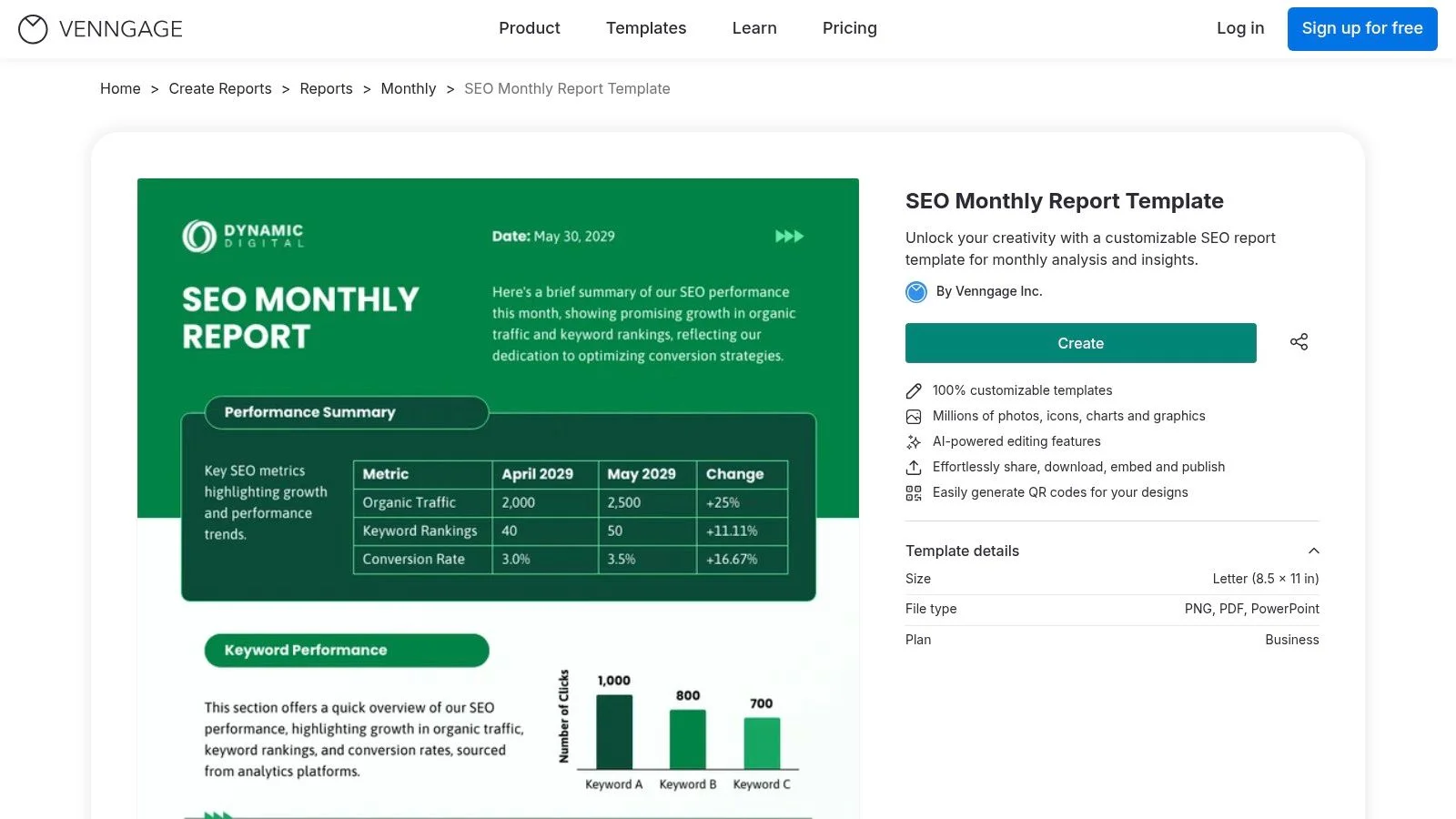
This is useful when your report needs to look professional for clients, managers, or executives. A visual report can be easier to understand than a spreadsheet, especially for non-technical stakeholders.
#Best For
Venngage is best for agencies, consultants, marketers, and teams that want branded, visual SEO reports.
#Why It Stands Out
The design flexibility is the main advantage. Venngage helps you make SEO data look more polished and easier to read.
#Key Features
- Customizable SEO monthly report template.
- AI-powered editing features.
- Charts, icons, graphics, and design assets.
- Export options such as PDF, PNG, and PowerPoint.
- Good for branded reports.
#Pros
- Very visual.
- Strong customization.
- Good for client-ready reports.
- Helpful for non-technical audiences.
- Useful design features.
#Cons
- Some features require a paid plan.
- Data entry is mostly manual.
- Not a dedicated SEO analytics tool.
Practical Tip:
Use Venngage when the report needs to impress visually. But keep the content simple. A beautiful report is still weak if it does not explain results clearly.
Website: Venngage SEO Monthly Report Template
#7. Slidesgo
Slidesgo offers a presentation-based SEO monthly report template. It is designed for Google Slides, Microsoft PowerPoint, and Canva.
This makes it a strong choice when you need to present SEO results in a meeting instead of sending a long document.
The template includes 39 editable slides, charts, timelines, mockups, tables, icons, and visual layouts. It is especially useful when you need to explain SEO progress to a team, client, boss, or leadership group.
#Best For
Slidesgo is best for presentations, monthly SEO meetings, client calls, and internal stakeholder updates.
#Why It Stands Out
It is built for presenting. That makes it easier to turn SEO data into a story.
#Key Features
- 39 editable slides.
- Compatible with Google Slides, PowerPoint, and Canva.
- Includes charts, timelines, maps, mockups, and icons.
- 16:9 widescreen format.
- Good for visual storytelling.
#Pros
- Professional presentation format.
- Easy to customize.
- Good for meetings.
- Visual and beginner-friendly.
- Works across multiple presentation platforms.
#Cons
- Some access may require registration or premium options.
- Manual data entry.
- Not designed for automated reporting.
Practical Tip:
Use only the slides you need. A monthly SEO report should not feel like a 39-slide lecture. For most clients, 8 to 12 focused slides are enough.
Website: Slidesgo SEO Monthly Report Template
#8. Template.net
Template.net offers a free monthly SEO report template that can be edited online. It is a practical option if you want a quick report structure without building everything from scratch.
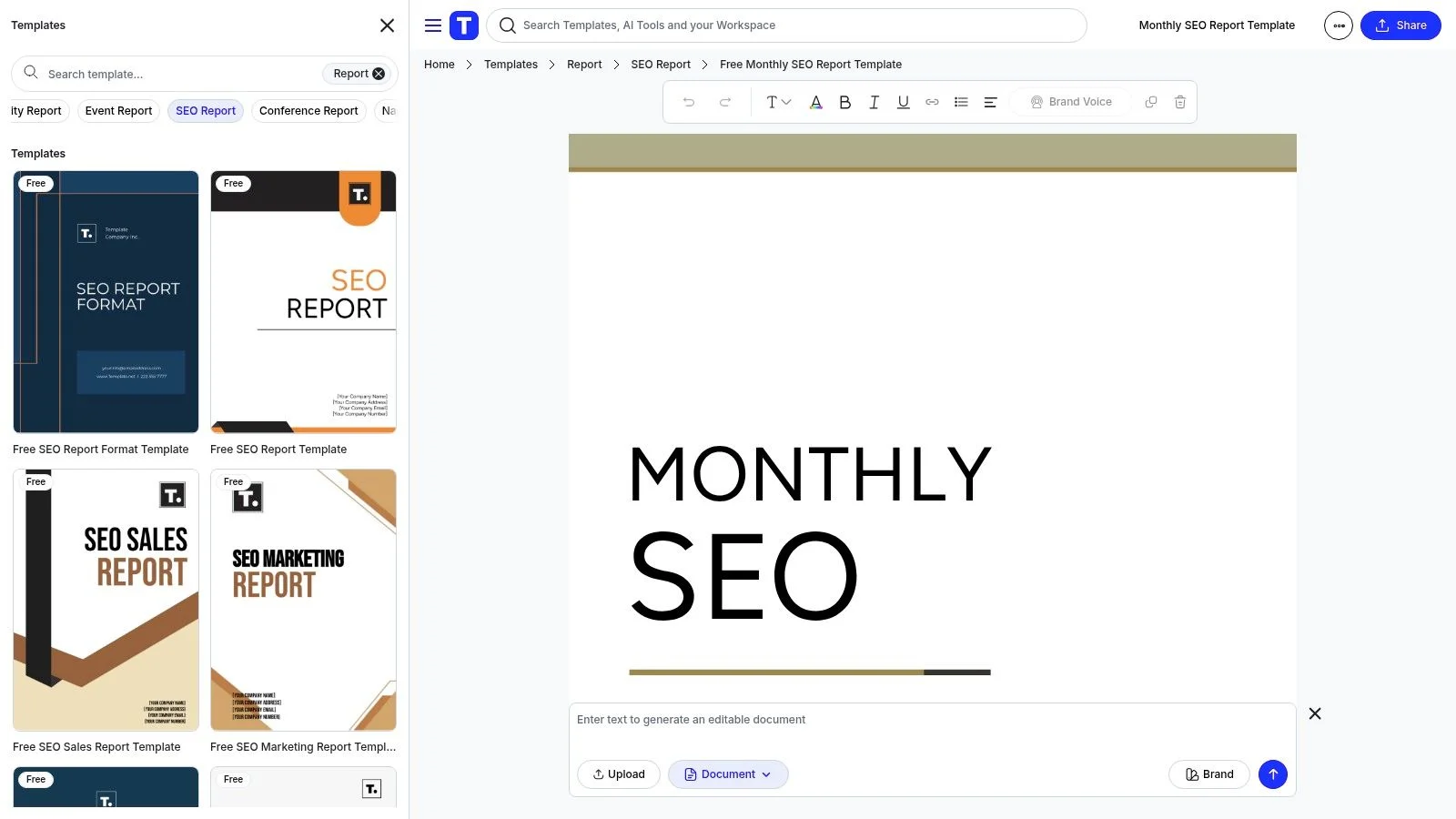
The template includes sections like traffic overview, recommendations, and SEO performance summaries. It can be useful for simple client reports, internal updates, or beginner SEO documentation.
#Best For
Template.net is best for beginners, small teams, and anyone who wants a fast editable SEO report format.
#Why It Stands Out
The online editor makes it easy to start quickly. You do not need to design your own report before you begin.
#Key Features
- Free monthly SEO report template.
- Online editing.
- Export options in several formats.
- AI editing and generation options.
- Includes basic SEO report sections.
#Pros
- Easy to access.
- No complex setup.
- Good for simple reports.
- Useful for beginners.
- Flexible export options.
#Cons
- Manual data entry.
- Some features may be premium.
- The default example metrics may need updating for GA4 and modern SEO reporting.
Practical Tip:
Use Template.net as a starting point, but update the metrics. For 2026, include GA4 key events, engaged sessions, landing page performance, GSC clicks and impressions, and a short next-action section.
Website: Template.net Monthly SEO Report
#9. Kahena
Kahena’s monthly reporting template is useful for e-commerce SEO. Unlike generic templates, it is designed with online stores in mind.
That matters because e-commerce SEO reports should not only show traffic. They should show product visibility, category performance, revenue, conversions, and commercial search performance.
#Best For
Kahena is best for e-commerce brands, online shops, and SEO teams that need a spreadsheet-based reporting structure.
#Why It Stands Out
It is more detailed and commerce-focused than many general SEO templates.
#Key Features
- Excel-based reporting template.
- E-commerce SEO focus.
- Useful for product and category analysis.
- Can connect SEO performance to sales and revenue.
- Good for deeper internal analysis.
#Pros
- Free.
- Strong fit for e-commerce.
- Detailed spreadsheet structure.
- Good for ROI analysis.
- Useful for product/category SEO.
#Cons
- Manual data entry.
- Less visual than presentation templates.
- Requires comfort with spreadsheets.
Practical Tip:
For e-commerce reporting, always separate product pages, category pages, and blog content. They have different goals and should not be judged by the same metrics.
Website: Kahena Monthly Reporting Excel Template
#10. ClickMinded
ClickMinded offers a simple SEO report template that focuses on clear communication. It is useful for reporting essential SEO metrics without overwhelming the reader.
This is a good fit if you want a practical spreadsheet-style template that can be customized for weekly or monthly reporting.
#Best For
ClickMinded is best for beginners, freelancers, small agencies, and in-house marketers who want a simple SEO reporting framework.
#Why It Stands Out
It keeps the report focused on key SEO performance rather than unnecessary detail.
#Key Features
- Free SEO report template.
- Spreadsheet-style format.
- Focuses on core SEO metrics.
- Useful for client or internal reporting.
- Simple enough for beginners.
#Pros
- Free.
- Easy to use.
- Good for simple reporting.
- Clear structure.
- Beginner-friendly.
#Cons
- Manual data input.
- Less visual than design-based templates.
- May need extra sections for AI search visibility and GA4 key events.
Practical Tip:
Add a “Key Wins & Insights” section if it is not already included. This is where you explain why the numbers changed and what the client should care about.
Website: ClickMinded SEO Report Template
#11. Semrush
Semrush offers a powerful monthly SEO report template inside its My Reports tool. This is one of the strongest options if you already use Semrush for SEO work.
The template can pull data from Semrush tools such as Position Tracking, Site Audit, Backlink Audit, Organic Research, and other Semrush data sources. It can also include widgets for traffic, rankings, backlinks, site health, technical issues, and conversions.
Semrush is especially useful for agencies and in-house teams that need professional, automated, data-rich reports.
#Best For
Semrush is best for agencies, SEO specialists, enterprise teams, and businesses that already use Semrush as part of their SEO workflow.
#Why It Stands Out
The biggest advantage is integration. If your SEO work already happens inside Semrush, your report can pull from the same ecosystem.
#Key Features
- Automated monthly SEO reporting.
- My Reports drag-and-drop builder.
- Scheduled reports.
- Semrush widgets for rankings, traffic, backlinks, site health, and technical SEO.
- AI summaries for faster report interpretation.
- PDF export and shareable reports.
#Pros
- Strong automation.
- Very comprehensive.
- Good for professional SEO teams.
- Saves time on recurring reports.
- Useful for multi-client reporting.
#Cons
- Requires a Semrush subscription.
- Can be too complex for total beginners.
- Needs careful customization to avoid bloated reports.
Practical Tip:
Do not include every Semrush widget just because you can. Build a short report for stakeholders and keep technical details in an appendix.
Website: Semrush Monthly SEO Report Template
#Quick Comparison: Which Monthly SEO Report Template Should You Choose?
Use this simple guide instead of a huge comparison table:
Choose Rankdigger if you want to find Google Search Console opportunities and turn them into next actions.
Choose Backlinko if you want a free strategic report template that is easy for clients and stakeholders to understand.
Choose DashThis if you manage several clients and want automated dashboards.
Choose Khaleelah Jones if you are a freelancer or agency and want a practical paid template with a real example.
Choose Attrock if you want a free beginner-friendly report with clear SEO sections.
Choose Venngage if design and visual presentation matter most.
Choose Slidesgo if you need to present your SEO report in a meeting.
Choose Template.net if you want a fast editable online document.
Choose Kahena if you report on e-commerce SEO.
Choose ClickMinded if you want a simple spreadsheet-style template.
Choose Semrush if you already use Semrush and want automated professional reporting.
#How to Build a Better Monthly SEO Report in 2026
A template is only helpful if you use it correctly. Here is a simple beginner-friendly structure you can follow every month.
#1. Start With the Executive Summary
Your executive summary should be short. Aim for 5 to 8 lines.
Include:
- What improved.
- What declined.
- Why it happened.
- What you recommend next.
- Whether SEO is moving closer to the business goal.
Example:
Organic traffic increased by 18% this month, mainly because updated product category pages improved in Google Search. Organic demo requests also increased by 9%. The biggest issue is that several high-impression keywords still have low CTR. Next month, we will update title tags, improve internal links, and refresh two pages that are close to page one.
#2. Connect SEO to Business Results
Do not stop at clicks and impressions.
In 2026, your report should connect SEO to:
- Leads.
- Purchases.
- Demo bookings.
- Calls.
- Newsletter signups.
- Downloads.
- Trial starts.
- Revenue.
- Other GA4 key events.
If a business goal exists, put it near the top of the report.
#3. Use Google Search Console and GA4 Together
Google Search Console shows what happened before the click:
- Impressions.
- Clicks.
- CTR.
- Average position.
- Queries.
- Pages.
- Countries.
- Devices.
Google Analytics 4 shows what happened after the click:
- Sessions.
- Users.
- Engaged sessions.
- Landing page performance.
- Key events.
- Revenue.
- User behavior.
- Conversion paths.
A strong monthly SEO report uses both.
#4. Report on Pages, Not Only Keywords
Keyword rankings are useful, but pages are easier to improve.
For each important page, ask:
- Did traffic grow or decline?
- Did impressions increase?
- Is CTR low?
- Is the page converting?
- Does the content still match search intent?
- Are internal links strong enough?
- Is the page technically indexable?
- Could the page appear in AI Overviews or featured snippets?
This makes your report more actionable.
#5. Include AI Search and SERP Visibility
Search results are no longer only ten blue links. Your report may need to mention:
- AI Overviews.
- AI Mode visibility.
- Featured snippets.
- People Also Ask.
- Image results.
- Video results.
- Local packs.
- Shopping results.
- Reddit or forum visibility.
- Brand mentions in AI tools.
- Unlinked brand mentions.
You do not need to overcomplicate this section. For many websites, a simple visibility note is enough.
Example:
Several informational keywords now trigger AI Overviews. This may reduce clicks even when rankings stay stable. We will focus on improving content clarity, original examples, author expertise, structured data, and topical depth.
#6. Explain Drops Clearly
If traffic drops, do not panic. Explain possible reasons.
Common reasons include:
- Seasonality.
- Ranking drops.
- Lower search demand.
- Google algorithm changes.
- Technical issues.
- Indexing problems.
- Lost backlinks.
- Content decay.
- Competitor improvements.
- SERP changes such as AI Overviews or more ads.
- Tracking changes in GA4.
A good report separates facts from assumptions.
#7. Keep the Report Short
Most monthly SEO reports should not be huge.
A practical structure is:
- Executive summary.
- Business results.
- Organic traffic.
- Search visibility.
- Top pages.
- Conversions or key events.
- Technical SEO.
- Content and backlinks.
- AI/SERP visibility.
- Next month’s actions.
- Appendix if needed.
Put deep technical data in the appendix. Put decisions at the front.
#Monthly SEO Report Template Example
Here is a simple structure you can copy into your own report:
#Monthly SEO Report - [Month Year]
#1. Executive Summary
- Main win:
- Main issue:
- Business impact:
- Recommended next action:
#2. SEO Performance Overview
- Organic sessions:
- Engaged sessions:
- GSC clicks:
- GSC impressions:
- Average CTR:
- Key events:
- Revenue or leads:
#3. What Improved
- Page or keyword:
- What changed:
- Why it matters:
#4. What Declined
- Page or keyword:
- What changed:
- Likely reason:
- Recommended fix:
#5. Top SEO Opportunities
- Opportunity 1:
- Opportunity 2:
- Opportunity 3:
#6. Technical SEO Notes
- Indexing:
- Core Web Vitals:
- Crawl issues:
- Structured data:
- Broken links or redirects:
#7. Content Work Completed
- New content:
- Updated content:
- Internal links added:
- Content removed or merged:
#8. AI and SERP Visibility
- AI Overview impact:
- Featured snippets:
- People Also Ask:
- Brand mentions:
- SERP changes:
#9. Plan for Next Month
- Action 1:
- Action 2:
- Action 3:
#Common Monthly SEO Report Mistakes
#Mistake 1: Reporting Too Many Metrics
More data does not mean more clarity. If a metric does not help someone make a decision, move it to the appendix or remove it.
#Mistake 2: Talking About Rankings Without Business Context
Ranking number 3 for a keyword is not automatically valuable. It matters only if the keyword brings the right audience and supports a business goal.
#Mistake 3: Ignoring Conversions
A report that only shows traffic is incomplete. SEO should be connected to leads, sales, signups, key events, or another measurable result.
#Mistake 4: Forgetting Search Intent
If a page loses rankings, the issue may not be technical. The content may no longer match what users want.
#Mistake 5: Sending Data Without Recommendations
A report should always answer: What should we do next?
#Final Recommendation
The best monthly SEO report template depends on your situation.
If you are a beginner, start with a simple free template from Backlinko, Attrock, Template.net, or ClickMinded. If you report to clients in meetings, use Slidesgo or Venngage. If you manage many clients, use DashThis or Semrush to automate your reporting. If you work heavily with Google Search Console data and want to find practical opportunities, use Rankdigger.
But remember: the tool is not the strategy.
A strong monthly SEO report should be clear, honest, and action-focused. It should show what happened, explain why it happened, connect SEO to business results, and recommend what to do next.
That is how you turn SEO reporting from a monthly chore into a strategic advantage.
Ready to go beyond reporting? Use Rankdigger to analyze your Google Search Console data, find high-potential SEO opportunities, and turn your next monthly SEO report into a clear action plan. Discover your next ranking opportunity with Rankdigger.